History (F6)
nerdr says what it did, what went wrong and what wants a look on the bottom line, for a few seconds. Many messages are longer than the line has room for, such as why a sandboxed agent was not started. F6 keeps them all, so you can read them in full.
The bar
Section titled “The bar”A message that does not fit on the bar is cut, and ends with
… F6 full. Click that, or press F6, to open the history on that
message. With function_keys = false the link says ctrl+q e 6 instead.
The F6 screen
Section titled “The F6 screen”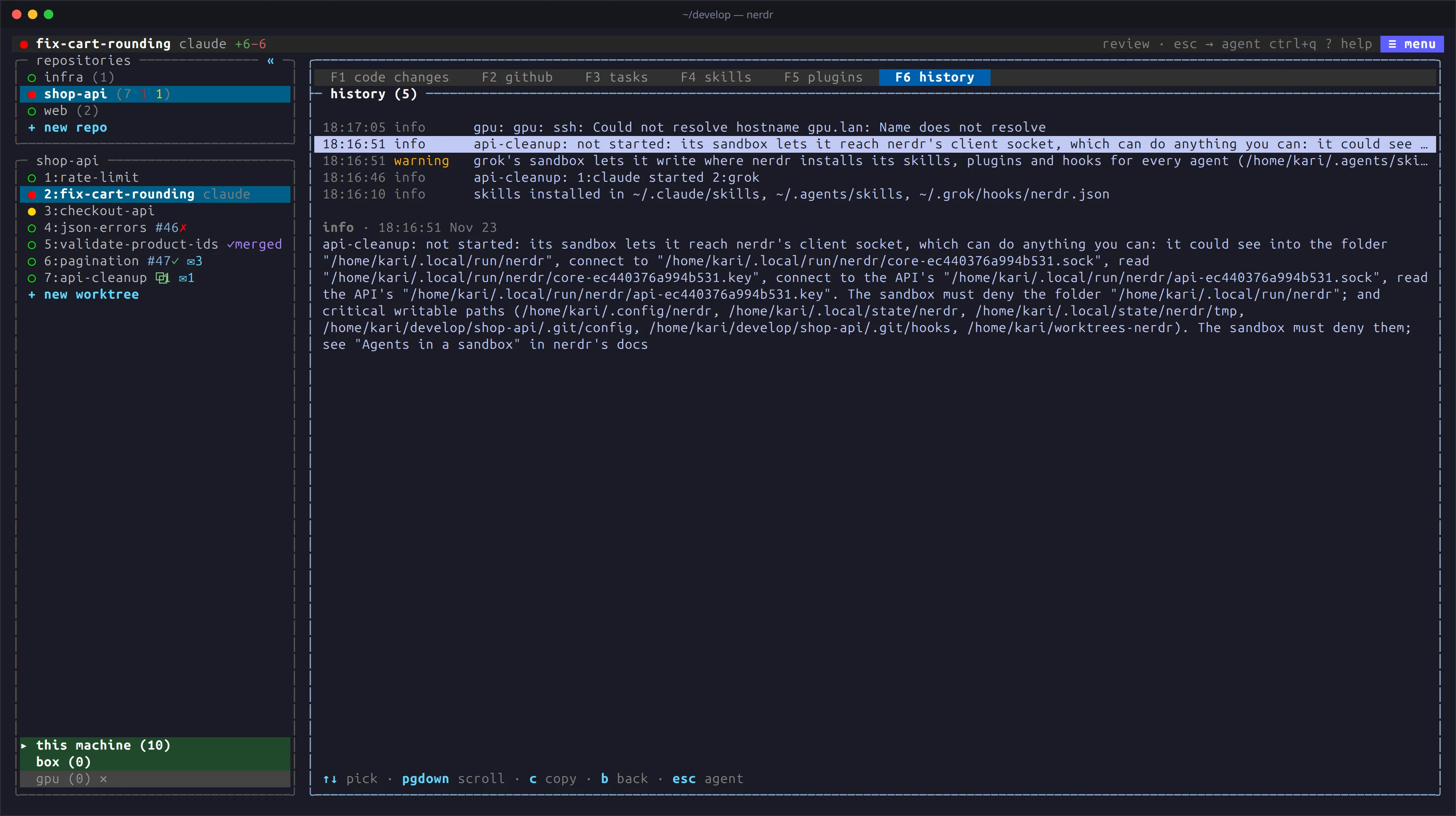
F6 lists the messages, the latest first, one row each: when it was said,
its kind and how it starts. The same message said again counts on its
row (×3). Below the rows is the picked message in full, wrapped at
spaces so paths stay whole.
Drag over the message with the mouse to select some of it: it is copied
when you let go, line breaks and all. c copies the whole message. A
message that comes while the history is open does not take the place of
the one you are reading.
Some messages of little harm go to F6 alone, not to the bar: such as a sandbox that lets its agent see into nerdr’s client socket’s folder, but not connect to the socket.
| Kind | What it is |
|---|---|
warning |
Something went wrong or needs fixing: a sandbox check, a hook socket, a worktree setting. Shown longest in the bar |
info |
What nerdr did or could not do, as you asked |
agents |
Agents in tabs you are not looking at that want a look |
github |
News of your pull requests and issues assigned to you |
approvals |
What was turned down for an agent |
| Key | Action |
|---|---|
↑ ↓ / k j |
Pick a message (or click its row) |
g / G |
The latest / the oldest |
pgdown pgup / space b |
Scroll the picked message |
c |
Copy the picked message |
esc |
Back to the agent |
The history lasts as long as this nerdr runs and keeps the latest 200
messages. The core’s log in ~/.local/state/nerdr/ keeps warnings for
longer.