Tasks (F3)
Had an idea while the agent is busy? Don’t interrupt it. Press
ctrl+q m, write the task, and it waits in F3 until you, or nerdr, give
it to the agent.
Queuing a task
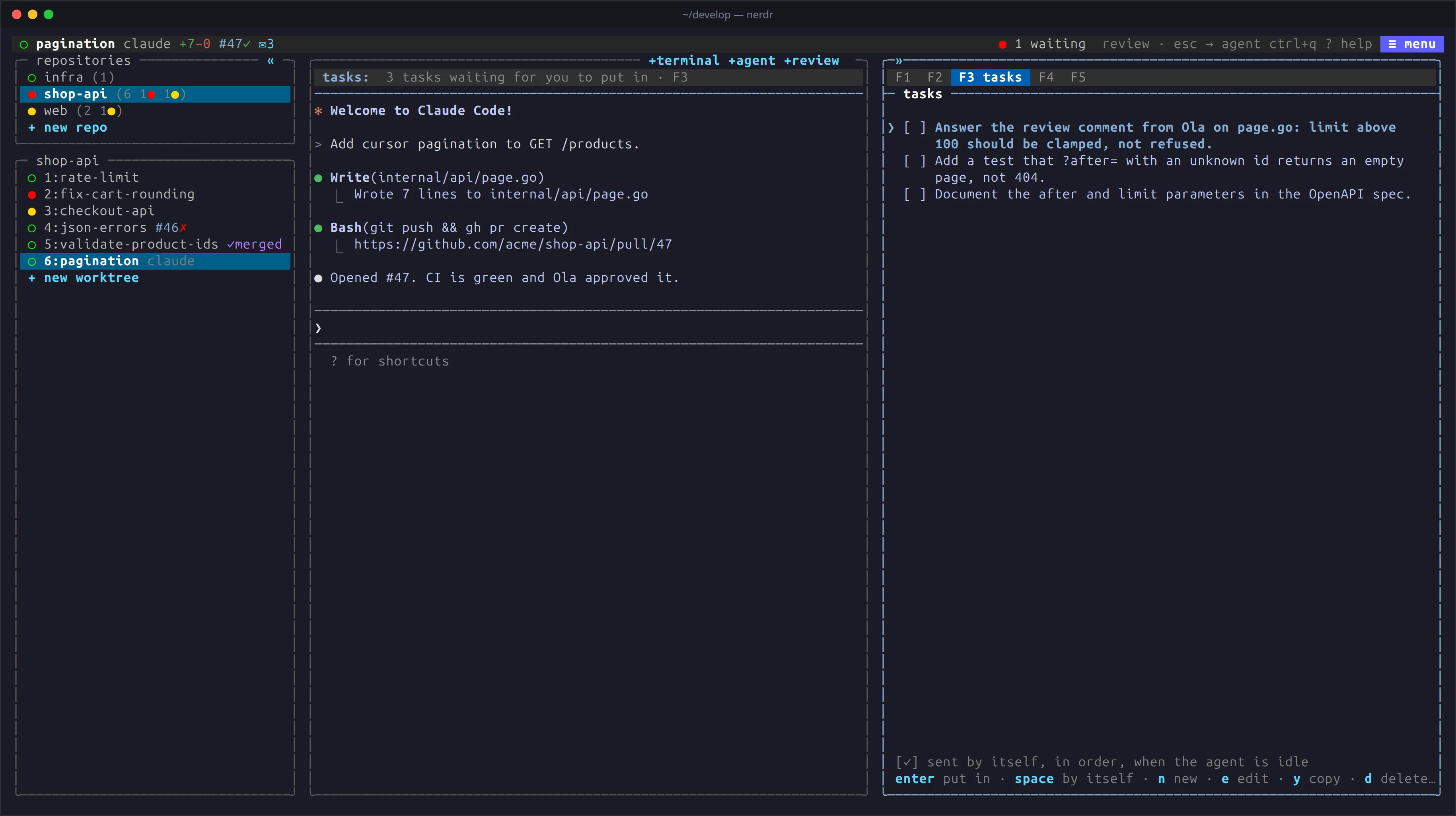
Section titled “Queuing a task”ctrl+q m queues a task for the agent whose pane has the keyboard, and
ctrl+q M for several tabs at once. nerdr opens F3 to show it among the
tab’s tasks. The status panel above the agent (tasks:) and the ✉n
badge on the tab show how many are waiting.
Tabs with several agents
Section titled “Tabs with several agents”With more than one agent in the tab, the task dialog asks who the task is
for. The agent whose pane has the keyboard is picked to start with;
ctrl+t steps through the agents and then all, and alt+1, alt+2 …
pick an agent by its number, alt+a all of them. A task for all goes to
each agent the tab has now, and each gets it when it is idle. With one
agent the dialog asks nothing.
F3 lists the tasks of every agent in the tab, under the agent each is for.
e changes who a task is for as well as its text.
When an agent’s pane is closed, its tasks stay in F3, greyed out under
inactive and marked with the agent’s number (→2). They are never sent,
not even to a new agent that gets the same number: e gives one to
another agent, d deletes it.
Sending tasks
Section titled “Sending tasks”- By hand: when the agent is idle,
enteron a task puts it in the agent’s prompt for you to edit or send. - By itself: tick a task with
space, ortabin the task dialog, and it is sent at the agent’s next idle prompt. Ticked tasks are sent in order.
nerdr never types a task in while the agent is asking a question, nor
while a code review is going on. If the agent shows no response within
five seconds, nerdr pauses the rest of the queue (✉n⏸) until you visit
the tab, so the order is kept.
Editing
Section titled “Editing”| Key | Action |
|---|---|
↓ |
Select the first task; F3 opens with none selected |
n |
Add a task |
e |
Edit, and change who it is for |
y |
Copy |
d |
Delete |
J / K |
Move down / up, among the same agent’s tasks |
The selected task is shown in full, the others in two rows. Tasks survive restarts.
Saved prompts
Section titled “Saved prompts”Some prompts you type again and again: “commit, push and open a pull request”, “rebase on main”. Save them once, and pick one instead of writing it out.
ctrl+q l lists them. Type to filter, then enter, or press a prompt’s
number. It is typed into the agent whose pane has the keyboard, and
nerdr either presses enter after it to send it (⏎) or leaves it in the
prompt for you to change or send (✎). Each prompt has its own setting;
tab turns it on and off while you write one. ctrl+n saves a new
prompt, ctrl+e changes the one selected.
→ in F3 shows the same list beside the tab’s tasks, and ← goes back:
| Key | Action |
|---|---|
enter |
Use the prompt |
space |
Switch between sending it (⏎) and only typing it in (✎) |
n |
Save a new prompt |
e |
Edit |
y |
Copy |
d |
Delete |
J / K |
Move down / up |
The prompts are the same in every repository. They are kept in
~/.config/nerdr/prompts.toml, which you can also edit by hand:
[[prompt]]text = "commit, push and open a pull request"enter = trueWhat else ends up here
Section titled “What else ends up here”- Findings from a code review you chose to keep for later.
- Requests from My PRs in F2: review comments and CI fixes for another tab.
- A message from a sandboxed agent to an agent outside a sandbox, which waits for you rather than being typed in.