Code review
A second agent reads what the first one did, with fresh eyes and without its conversation. Its findings go back to the agent that did the work, which fixes them; then the reviewer checks again. Codex reviewing Claude’s work, or Claude reviewing Codex’s, catches mistakes neither would catch alone.
Starting a review
Section titled “Starting a review”In the pane of the agent whose work is to be reviewed, click +review or
press ctrl+q t r (or ctrl+q a c). A review pane opens beside it,
listing the agents to review with; the configured reviewer is first.
Press enter, its number, or click to start.
- The button beside an agent shows the model it reviews with; click it,
or press
m, to pick another from the models the agent itself lists and those it has been started with before. Type to narrow, or type one it does not list. The model picked is kept in[review.models]for the reviews to come;its owngoes back to the agent’s default. -/+change the number of rounds.esccloses the pane.
A review is always of one agent’s work, and its findings go back to that agent. Several agents in a tab can each be reviewed.
When the agent says it is ready
Section titled “When the agent says it is ready”With the nerdr-request-review skill, the agent asks you when it has
finished whether you want a review, and starts one if you say yes. Name
the reviewer you want, “have codex with astra review it”, and it passes
that on.
Automatic reviews
Section titled “Automatic reviews”Set [review] auto = true to review without asking. By default the
review starts when the agent says its work is ready, with what it wants
looked at most; when = "turn" reviews after every turn that changes the
worktree. See Configuration.
What the reviewer does
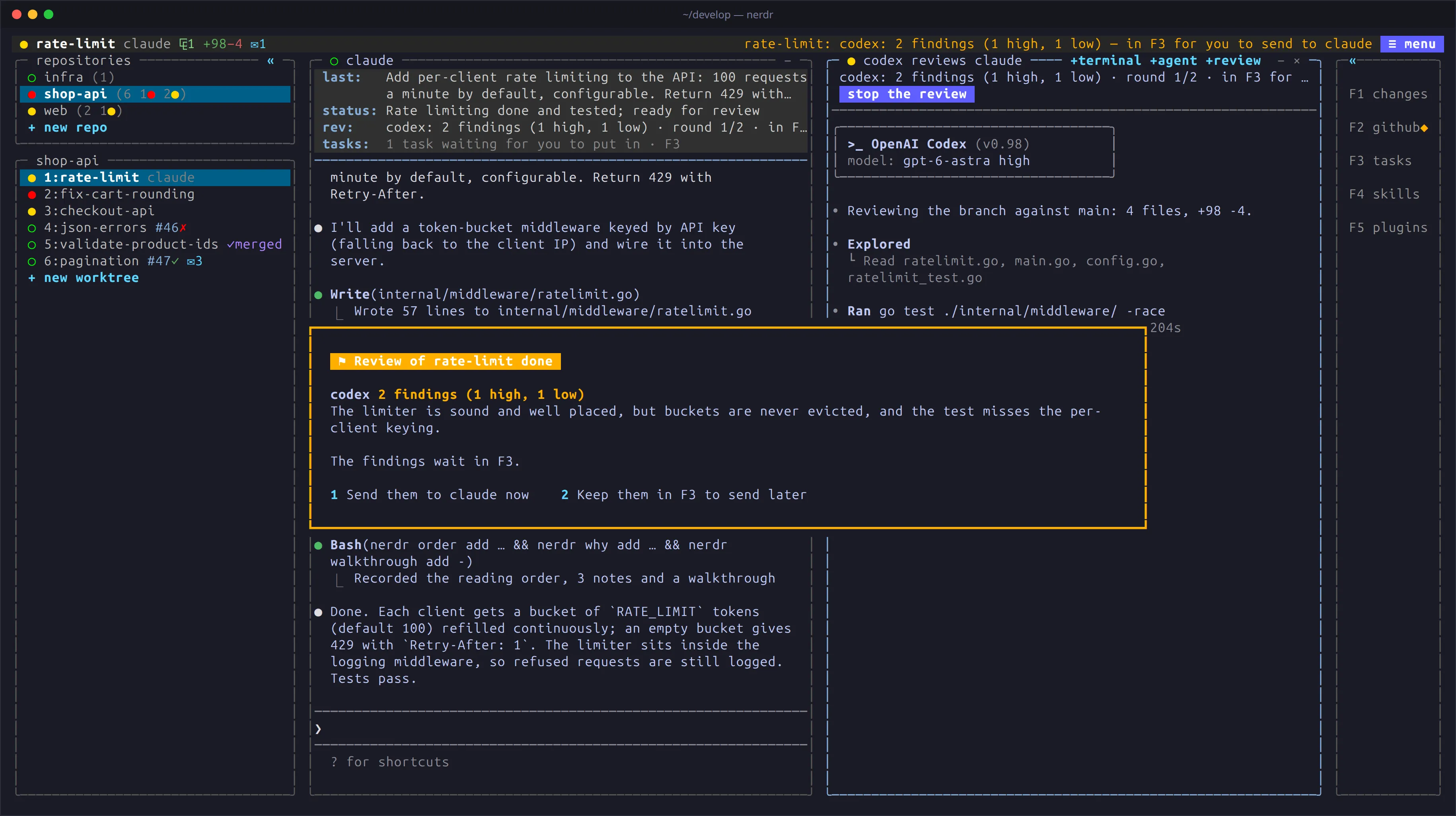
Section titled “What the reviewer does”The reviewer runs in the same worktree. It reads the branch’s commits and the uncommitted changes, is told to change nothing, and sends a verdict, a summary and findings on specific lines.
While it reviews, tasks queued for the agent wait, so nothing changes
under the reviewer. The status panel shows rev: with the round and what
the reviewer is doing.
Findings
Section titled “Findings”Findings appear beside the code in F1, marked ⚑, and in F3. When a
round ends, nerdr asks in the tab whether to send them to the agent now
or keep them in F3; in another tab, it asks when you come back, also if
nerdr has been restarted since. Until you answer, the tab is marked ⚑
in the tab row and the sidebar, or ✓ if the reviewer approved. When you step through the tabs with ctrl+q →, a
small card shows the result as you pass the tab; press enter to stop
there and answer. With send_findings = "auto" they are sent without
asking.
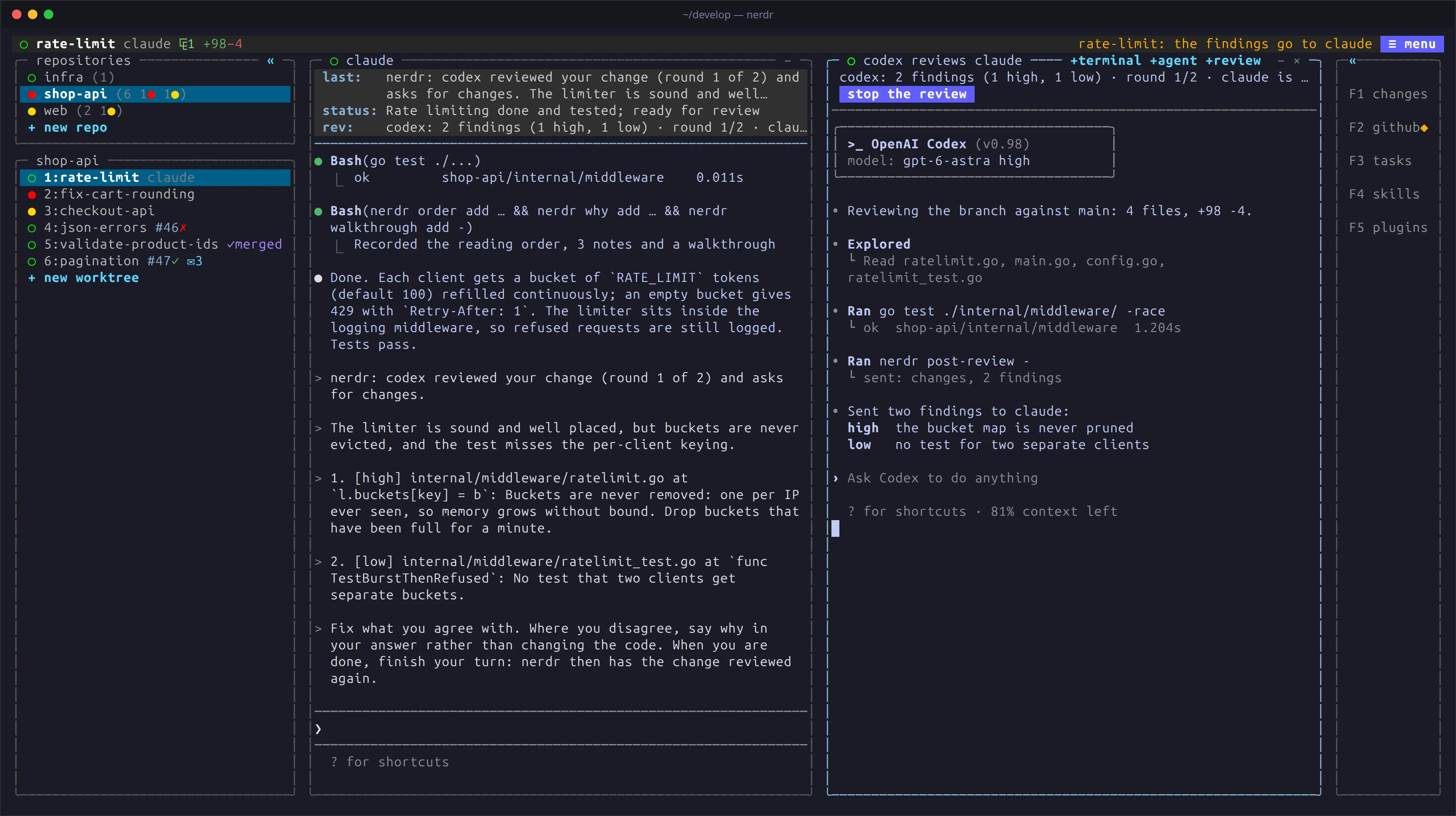
After the agent has addressed them, the reviewer checks again, in its own
conversation. This goes on until it approves, or the rounds limit is
reached (2 by default); remaining findings then wait for you in F3.
Several reviewers
Section titled “Several reviewers”Select + reviewer while a review is underway, or open another review
pane from the agent. You can run one reviewer of each agent kind. A round
ends when all of them have answered, and their findings are sent together
in one numbered message. Reviewers that approve stop and their panes
close; the others check the fixes.
The review pane
Section titled “The review pane”The reviewer runs in its own pane, under a line on how the review stands.
Go to the pane to answer its questions. A review that starts by itself
opens beside the agent without taking the keyboard, and is the first to be
minimised when room runs out. Stop it with the stop button, ×,
ctrl+q t x in its pane, or ctrl+q a x from the agent. The pane closes
when the review ends.
Reviews are kept in reviews.jsonl beside nerdr’s notes. The latest
findings remain after a restart, but reviewers are not restarted: a review
still going on when nerdr quits ends there, without being told of.